 Skip to content
Latest version
StatusHolderV9.1.zip9.1
With a new security certificate. On first start Windows may show a warning; this is how you open it anyway: instructions below.
Download version 9.1Status Holder is a click-to-run application: download, unzip, start. No installation, no admin rights.
Latest version
StatusHolderV9.1.zip9.1
With a new security certificate. On first start Windows may show a warning; this is how you open it anyway: instructions below.
Download version 9.1Proven version
StatusHolderV9.0.zip9.0
The previous version, without a Windows notice. Use it if your company has blocked “Run anyway”.
Download version 9.0Version 9.1 has a new certificate that Windows only knows after a number of downloads. The file is still safe to open:
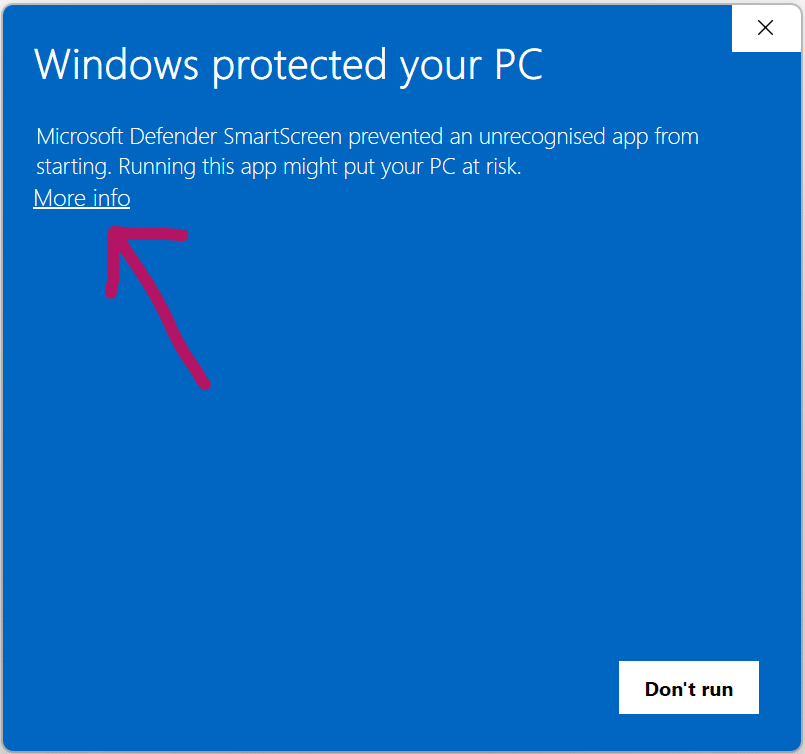
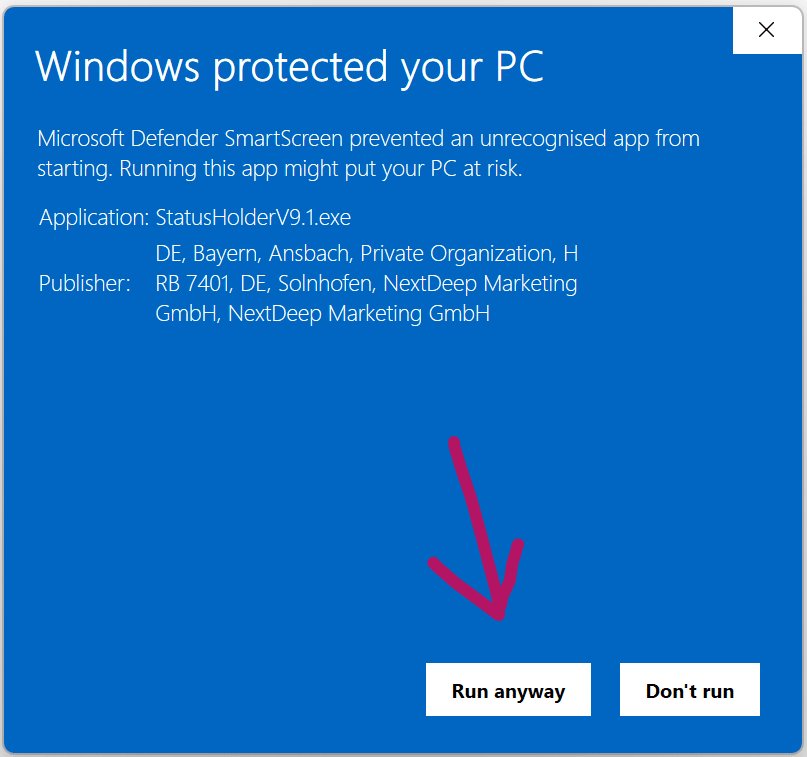
If “Run anyway” is missing, your company has blocked the option. Use version 9.0 for now.
You need to load content from reCAPTCHA to submit the form. Please note that doing so will share data with third-party providers.
More InformationYou are currently viewing a placeholder content from Turnstile. To access the actual content, click the button below. Please note that doing so will share data with third-party providers.
More InformationYou are currently viewing a placeholder content from Facebook. To access the actual content, click the button below. Please note that doing so will share data with third-party providers.
More InformationYou are currently viewing a placeholder content from Instagram. To access the actual content, click the button below. Please note that doing so will share data with third-party providers.
More InformationYou are currently viewing a placeholder content from X. To access the actual content, click the button below. Please note that doing so will share data with third-party providers.
More Information