 Skip to content
Without the mouse you turn yellow after five minutes.
Jana SchulteAway
No input5:00 min
Free for Windows 10 and 11
Status Holder keeps you Available in Microsoft Teams, Skype and Slack. Free and without installation.
Works with Microsoft Teams Skype Slack Zoom Webex
Try it: switch Status Holder off and wait a few seconds.
Simulation: one second here is 20 seconds in Teams.
How it works
Without the mouse you turn yellow after five minutes.
Then you start the file, without any setup.
From now on your dot stays green.
With Premium only during your working hours.
An example day
Click a row to see what Status Holder is doing at that moment.
Features
No feature found. See all features
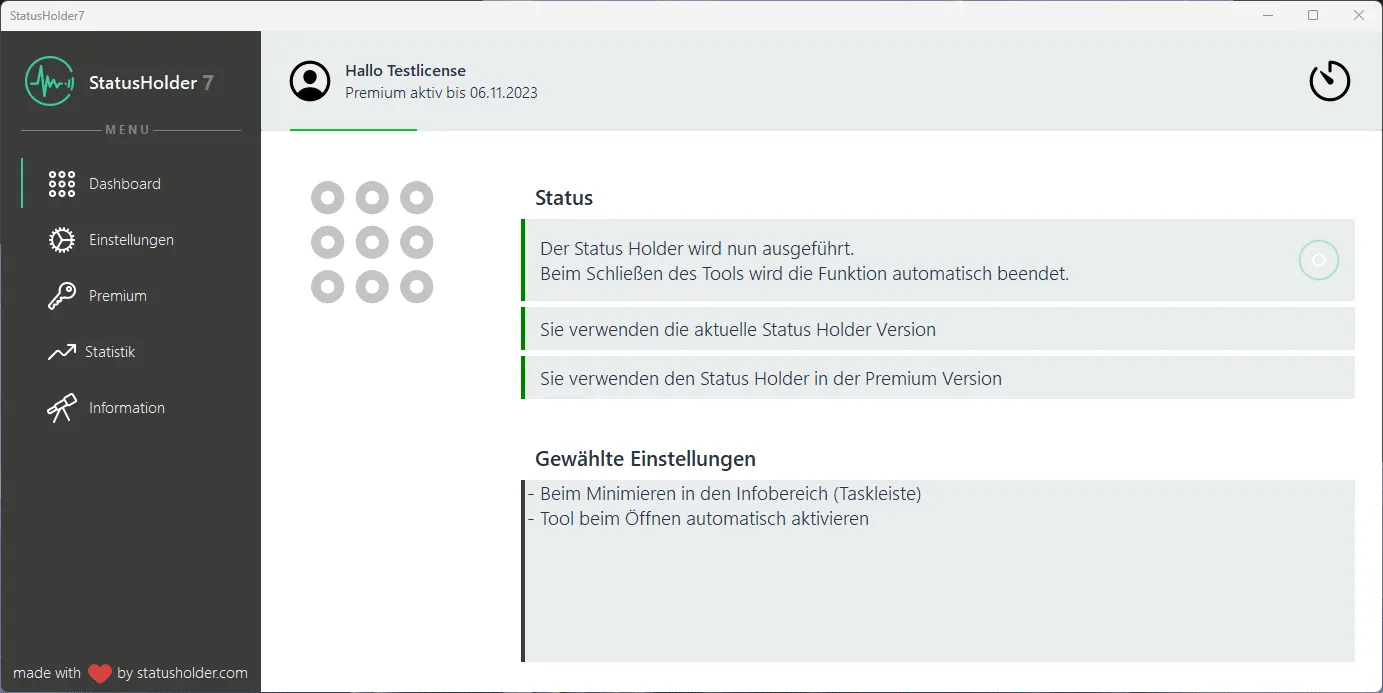
Real screenshots from Status Holder.
Pricing
from €2
1 month for €2, 6 months for €8. No subscription, via Paddle, PayPal accepted.
All pricesFor businesses
For works councils and IT: employees can start and pause it, IT distributes licence and settings via XML or GPO.
Request BusinessGuides
FAQ
Yes. The basic version is free forever and keeps your status Available. For settings like autostart or schedule you need Premium.
No. Status Holder is a click-to-run application. You start it with a double-click, without admin rights and without setup.
Version 9.1 has a new security certificate. Until Windows knows it, a notice appears. Click “More info” and then “Run anyway”.
In theory yes, but it is unlikely. Since nothing is installed, Status Holder does not appear in the list of installed programs.
Microsoft Teams, Skype, Skype for Business, Slack, Zoom and Cisco WebEx. Many other programs work too.
No, Status Holder only runs on Windows. On a Mac, a USB mouse jiggler helps: you plug it in and it moves the pointer, no software needed.

No. You buy a licence for 1, 6 or 12 months. After that it simply expires, no subscription and nothing to cancel.
No. A purchased code is valid in every version of Status Holder.
Windows 10 and 11 · .NET Framework 4.7.1 · no admin rights needed
Download for freeYou need to load content from reCAPTCHA to submit the form. Please note that doing so will share data with third-party providers.
More InformationYou are currently viewing a placeholder content from Turnstile. To access the actual content, click the button below. Please note that doing so will share data with third-party providers.
More InformationYou are currently viewing a placeholder content from Facebook. To access the actual content, click the button below. Please note that doing so will share data with third-party providers.
More InformationYou are currently viewing a placeholder content from Instagram. To access the actual content, click the button below. Please note that doing so will share data with third-party providers.
More InformationYou are currently viewing a placeholder content from X. To access the actual content, click the button below. Please note that doing so will share data with third-party providers.
More Information